League Management Is Here: Run Your Entire Golf League From VTeeGolf
Full league management is now built into VTeeGolf — seasons, teams, divisions, live scoring, handicap tracking, and printable scorecards. No spreadsheets required.
New Feature Release
Full-featured league management is now live on VTeeGolf — create seasons, manage teams, track handicaps, and run live leaderboards, all from the same platform you already use for bookings.
Running a golf league at an indoor simulator facility has traditionally meant spreadsheets, group texts, and a lot of manual scorekeeping. We've been working with operators who wanted something better — a system that handles the logistics so they can focus on building a community around their bays.
Today we're releasing League Management on VTeeGolf. It's built directly into the platform, so there's nothing extra to install, no third-party integrations to manage, and no additional cost. If you have a VTeeGolf account, you have leagues.
What You Can Do
Season & Schedule Setup
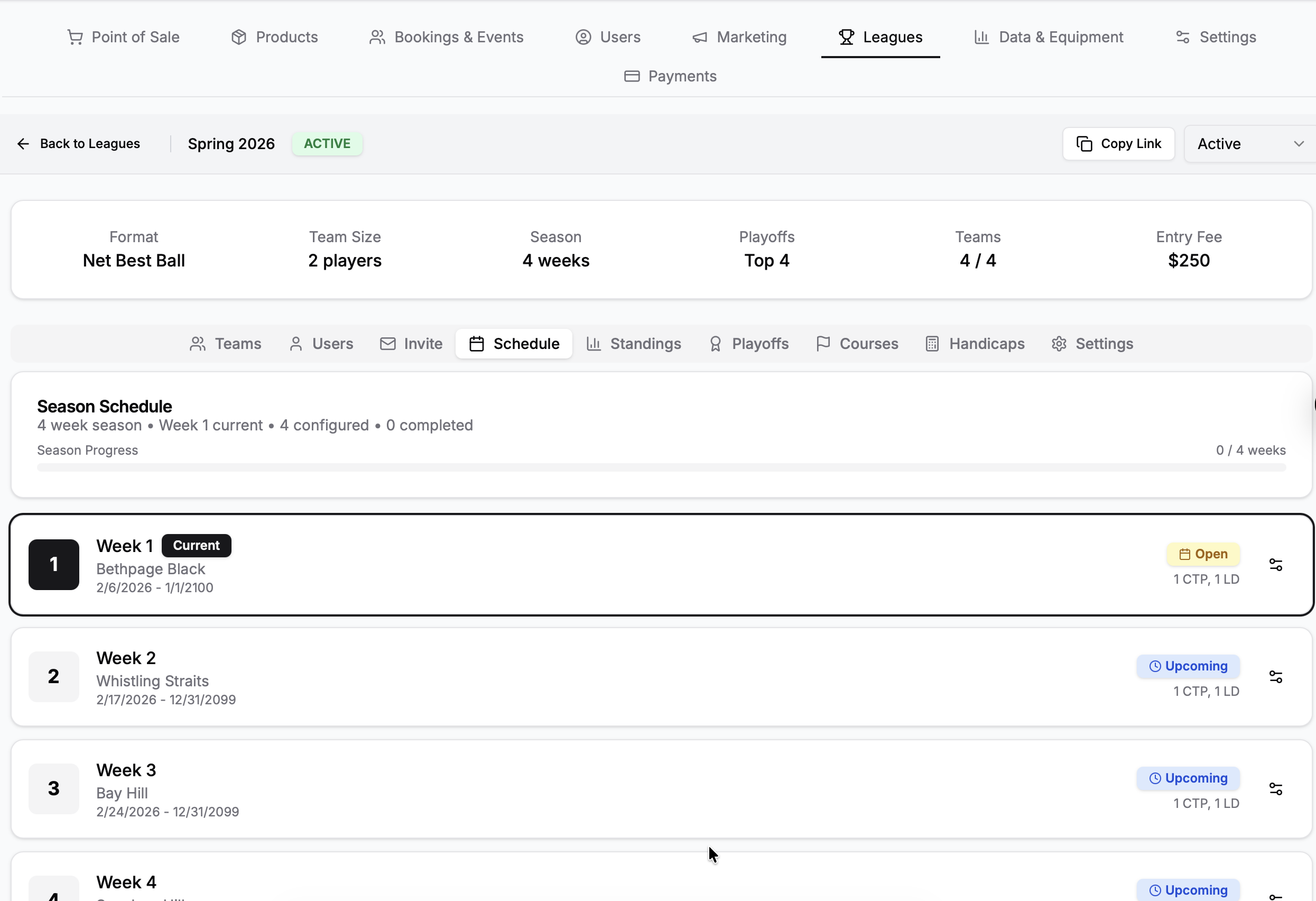
Create a full league structure in minutes. Set up your season with as many rounds as you need, define divisions to group teams by skill level, and let the system handle the rest.
- ✓ Multi-round seasons with flexible scheduling — weekly, biweekly, or custom cadence
- ✓ Divisions for organizing teams by skill, age, or any grouping you want
- ✓ Automated tee time reservations — the system books bays for each round automatically and syncs with Google Calendar
- ✓ Playoff brackets to cap off the season with elimination rounds
Teams & Participants
Build your roster and let players manage themselves. Each participant gets linked to their account, and team captains can see their upcoming schedule and standings.
For Admins:
- Create teams and assign participants
- Move players between teams mid-season
- Set league-specific products for entry fees
- View all scorecards from a single admin panel
For Players:
- Submit scores hole-by-hole from their phone
- View live leaderboard during rounds
- Track personal handicap over time
- See upcoming tee times and team info
Live Scoring & Leaderboards
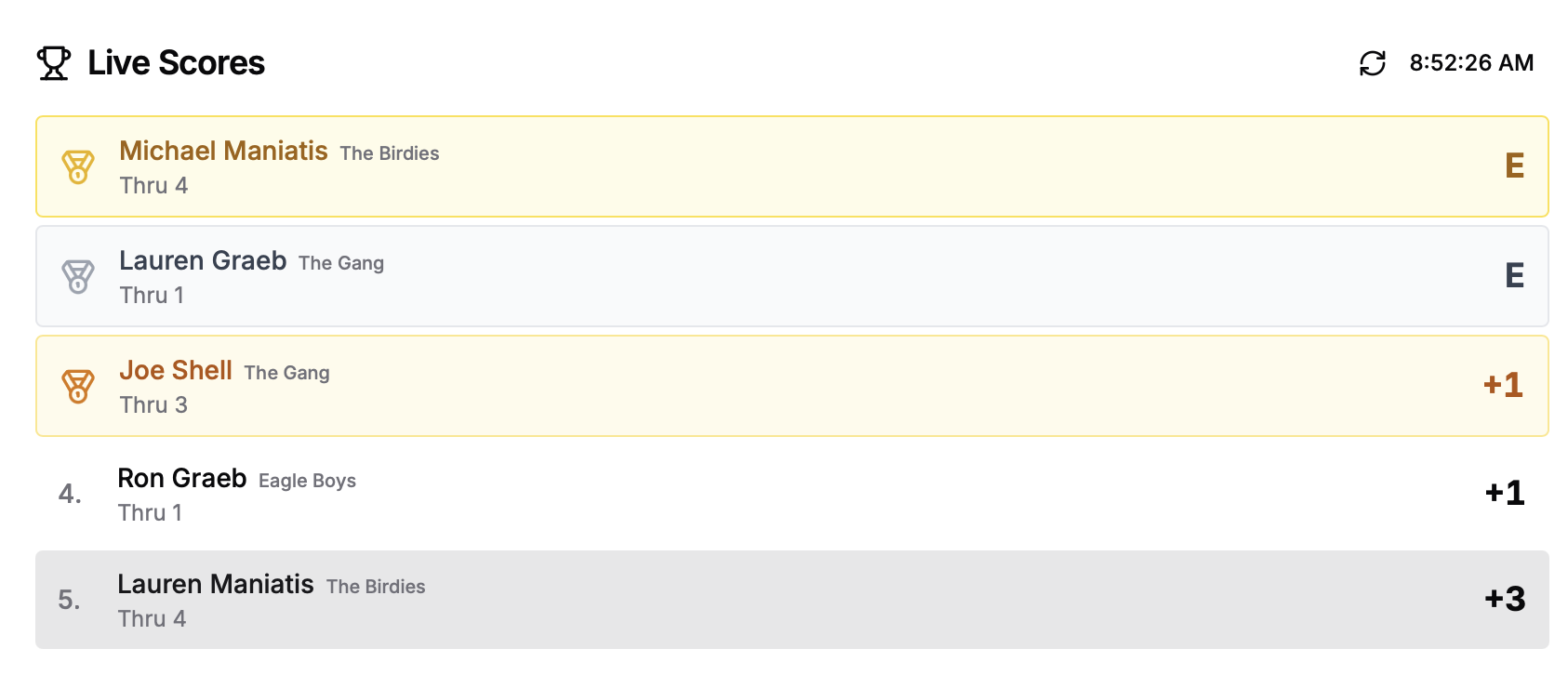
This is where it gets fun. Players enter their scores hole-by-hole on their phones as they play. The leaderboard updates in real time, showing +/- par standings so everyone can see where they stand — no more waiting until the last group finishes.
How it works: Players open their scorecard on their phone, tap in their score after each hole (the input auto-advances to the next hole), and the leaderboard refreshes instantly. Admins can also enter or edit scores from the admin panel if needed.
Handicap Tracking
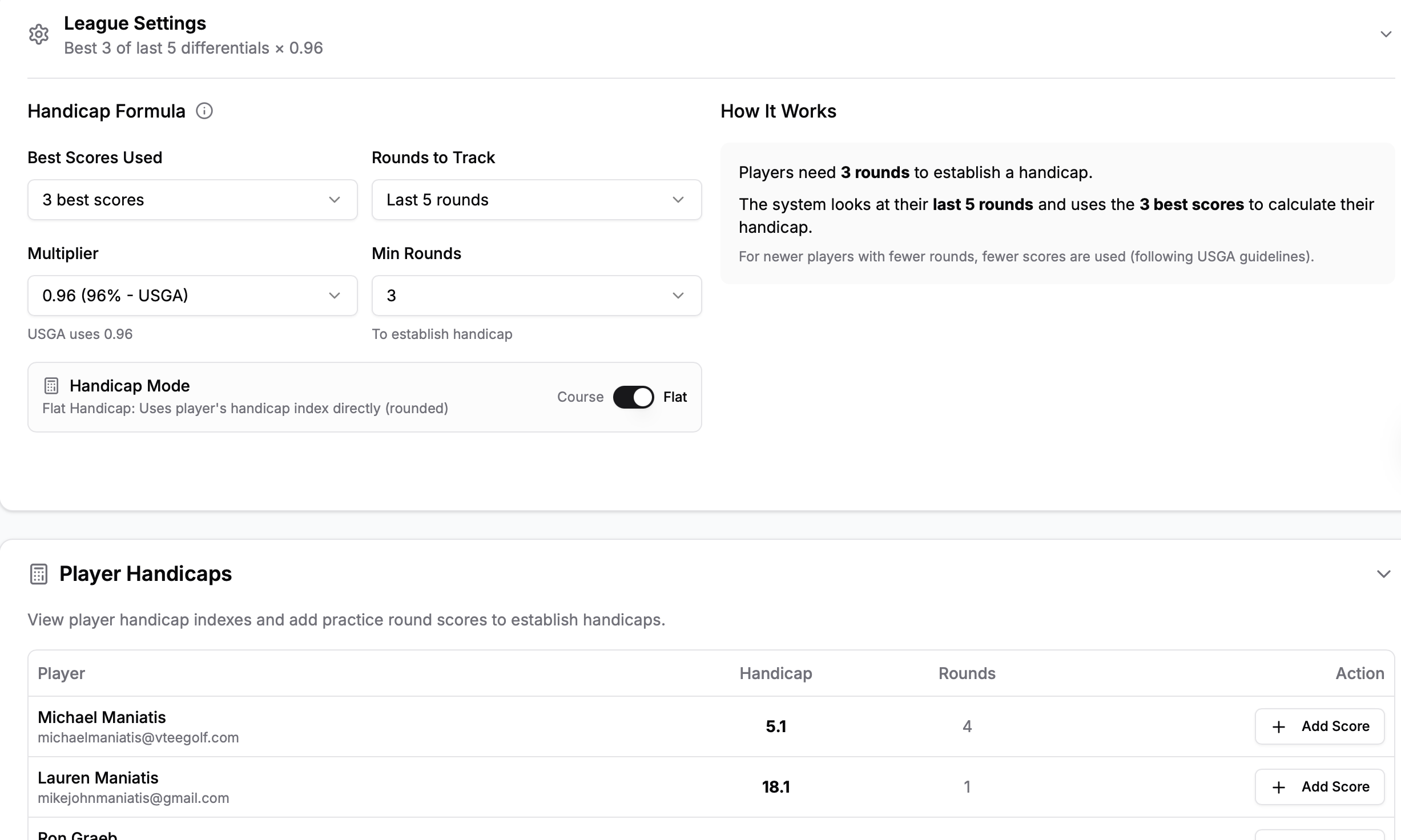
Automatic handicap index calculations based on score differentials and course ratings. The system keeps a running handicap for every participant, updated after each round. Players can also enter practice rounds to build their history.
- ✓ Handicap strokes automatically distributed across holes based on hole difficulty
- ✓ Course handicap calculated from the league course rating and slope
- ✓ Fair competition across all skill levels — beginners and scratch golfers in the same league
Printable Scorecards
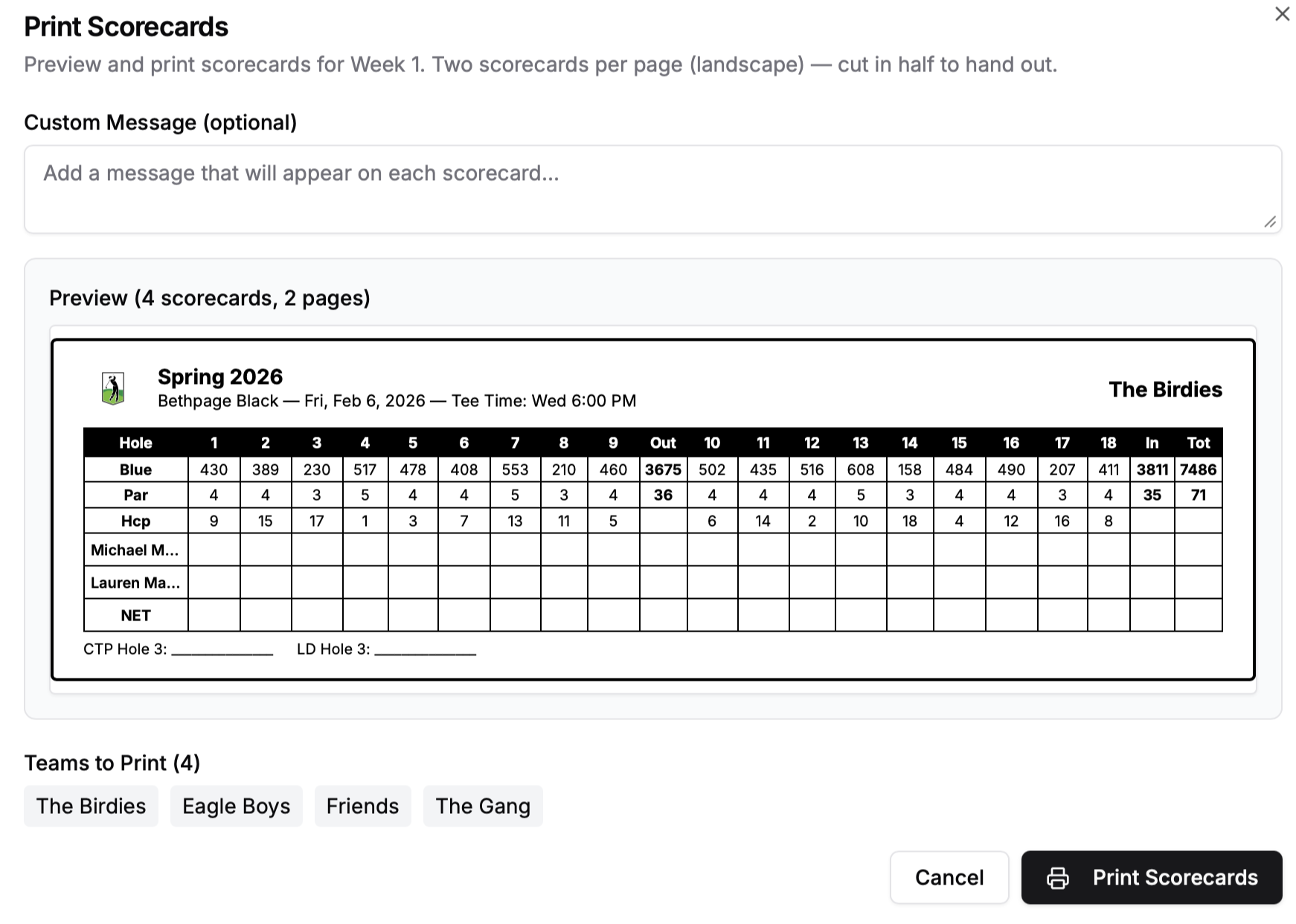
Generate professional scorecards for each round with all the details: course hole data, par info, handicap strokes, and team assignments. Print them out for the traditional experience or share them digitally before tee time.
Why Leagues Matter for Your Business
Recurring
Revenue
A 10-week league with 8 teams means 80+ guaranteed bookings. That's predictable income you can count on.
Community
Building
League players become regulars. They bring friends, they buy food and drinks, they tell people about your facility.
Off-Peak
Fill Rate
Schedule leagues during your slower nights. Tuesday and Wednesday evenings go from empty to booked solid.
Getting Started
Create Your League
Navigate to the Leagues tab in your admin panel. Give your league a name, pick a course from our database, and select which tees you'll play from.
Set Up Your Season
Define your rounds — pick dates, start times, and which bays to use. The system creates tee time reservations automatically.
Add Teams & Players
Create teams, add participants, and assign them to divisions. Players will see their league info when they log in.
Play & Score
On league night, players open their scorecards on their phones and start entering scores. The leaderboard updates live.
Included at No Extra Cost
League management is included with every VTeeGolf account. There's no add-on fee, no per-league charge, and no player limits. If you're already on VTeeGolf, head to your admin panel and you'll see the Leagues tab ready to go.
Ready to Launch Your First League?
Leagues are live and available to all VTeeGolf customers today. Set up your first season in minutes.